
Voice chat with the friends you play with.
Open a room, share the invite code and talk with your friends. In the room you can share your screen, chat and play games together. Guests join without creating an account.
It is free. A signed installer for Windows 10 and 11; the app updates itself.
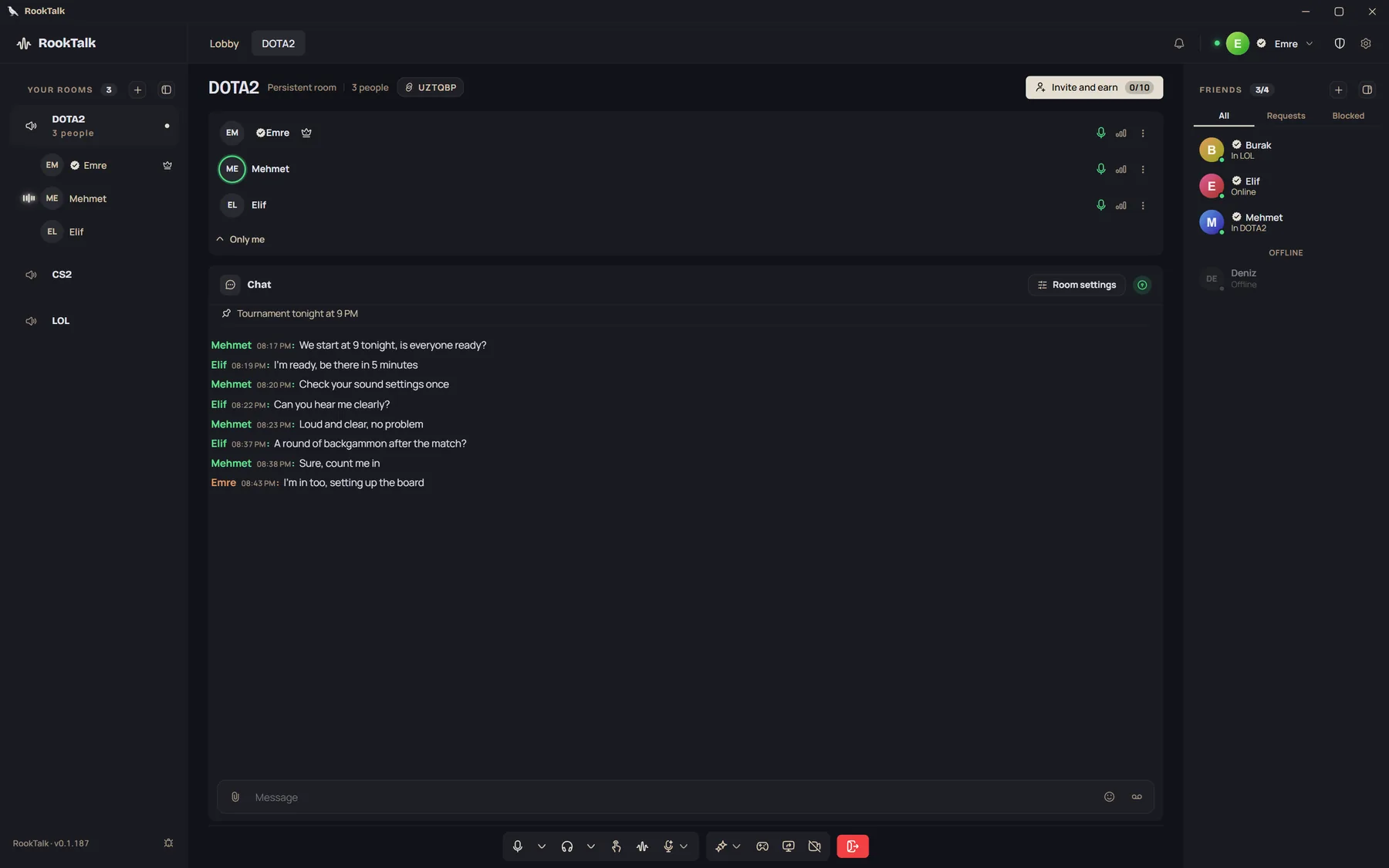
- Free rooms for 6Lasting rooms opened with Plus or Premium have no limit on people
- 128 kbps voiceWith Premium. 48 kbps on the free plan, 96 on Plus
- 1080p screen sharingWith Premium, up to 30 frames a second
- Push to talk: F8The key works while you are in a game; you can pick another key
What can you do in a room?
Every screen below is a picture of the app itself.
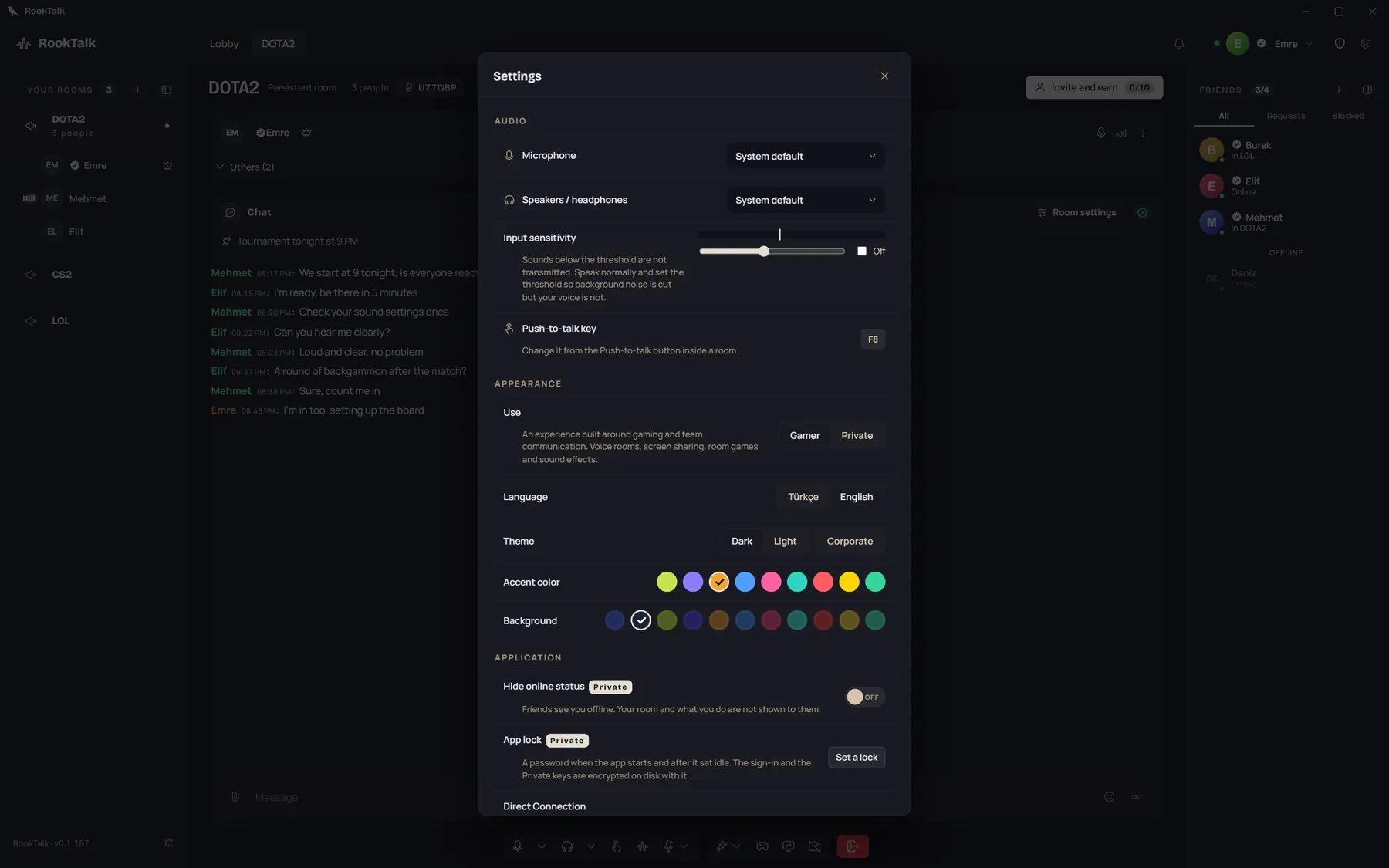
Sound, set the way you like
- Noise suppression. It lowers background sounds such as a keyboard or a TV.
- Push to talk. You hold the key you chose while you speak.
- A level per person. You set how loud each person is, for yourself only.
- Voice changer. With Premium you can change the pitch and tone of your voice.
Games together in the room
You can play while you talk. On the free plan you play against the computer, with Plus and Premium against your friends.
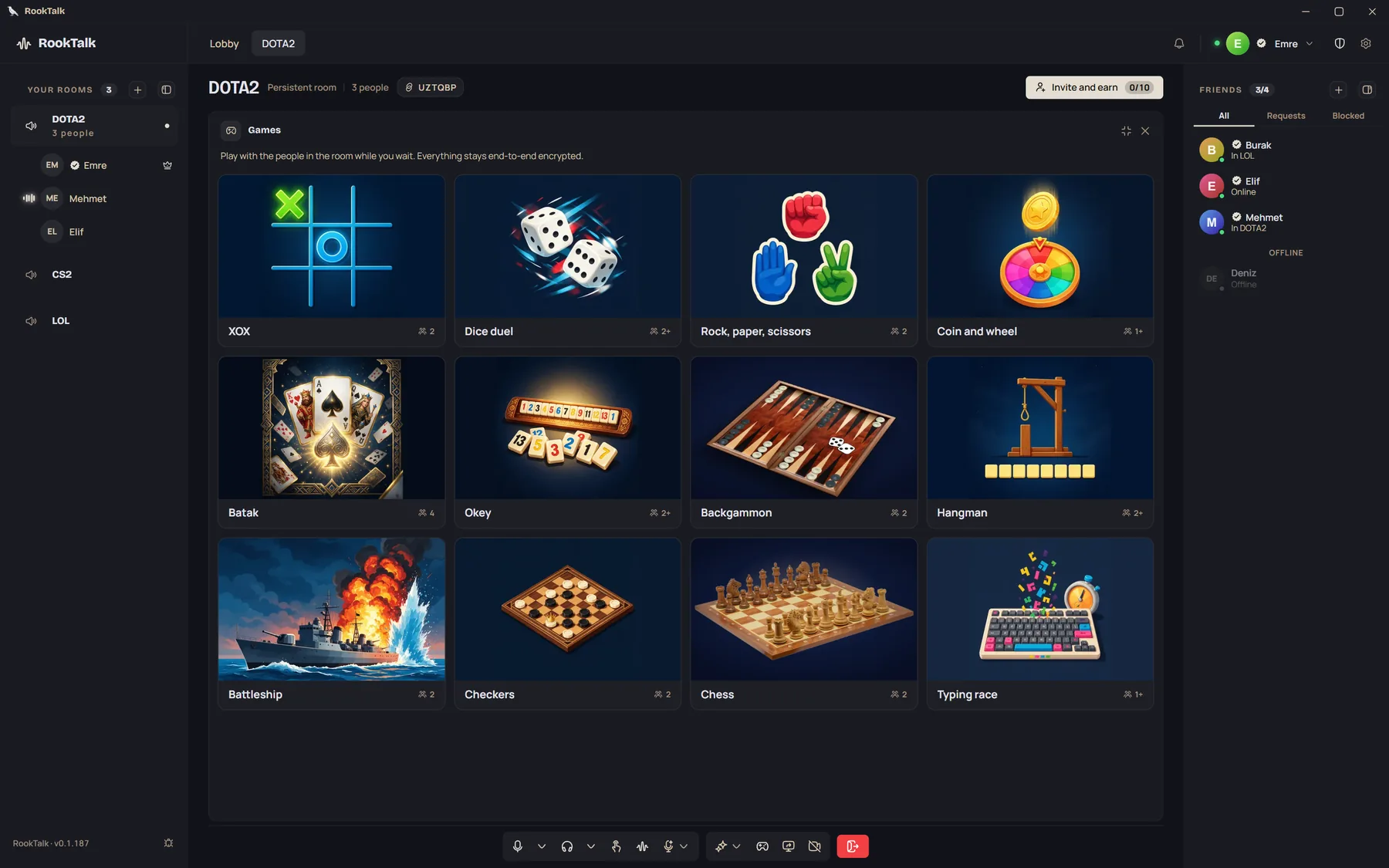
 Batak
 Okey
 Backgammon
 Chess
 Checkers
 Battleship
 Hangman
 XOX
 Dice duel
 Rock, paper, scissors
 Coin and wheel
 Typing race
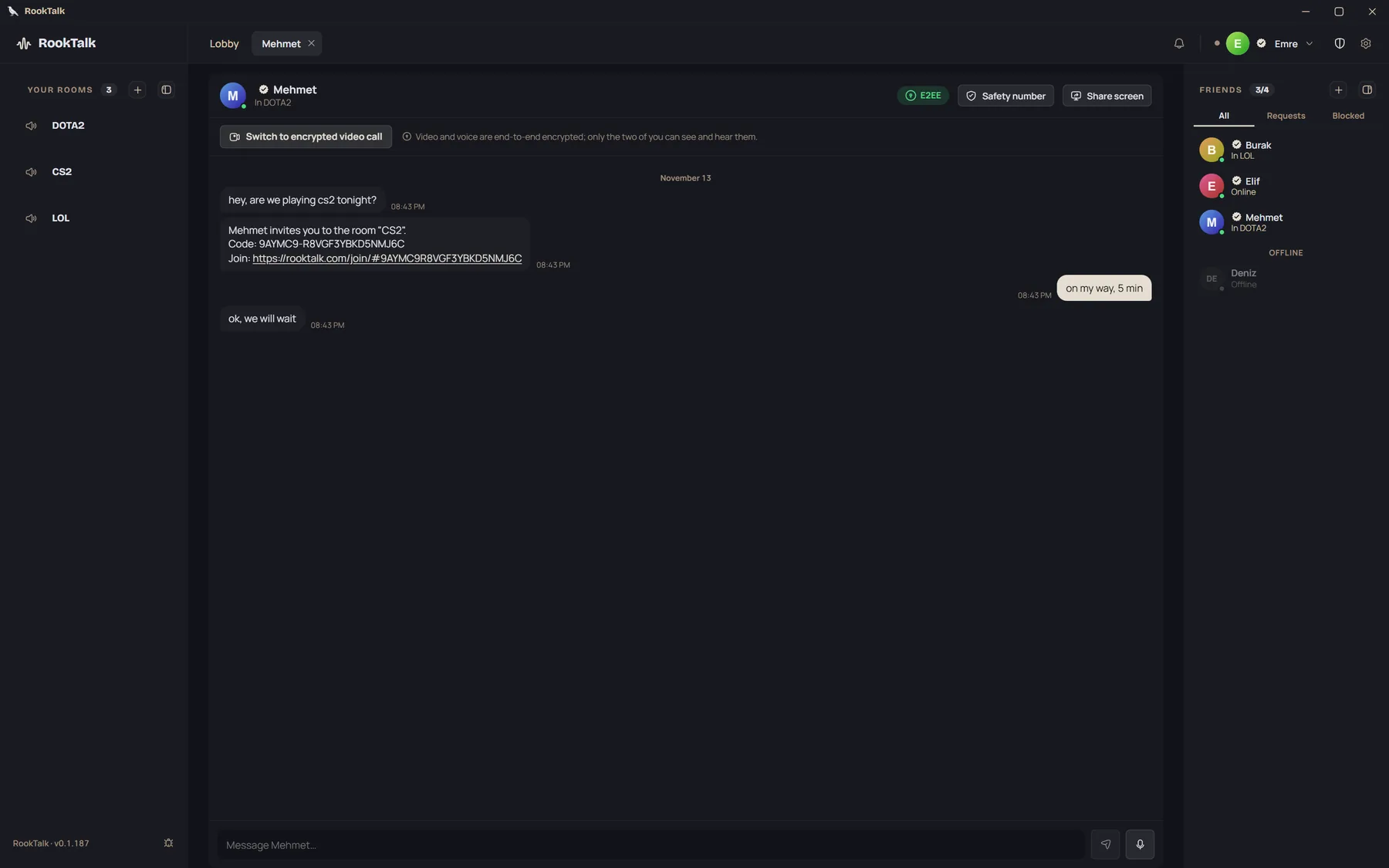
Friends and private messages
- Friends list. You see who is online and which room they are in.
- Private messages are end-to-end encrypted. The keys are made on the devices; the server only carries ciphertext.
- Invite to a room. You call a friend from your list into your room with one click.
Your rooms and your lobby
- Temporary and lasting rooms. A free room is temporary. You can open 3 lasting rooms with Plus and 10 with Premium.
- Room management. The owner and the moderators can mute people or remove them from the room.
- Sound effects. Plus and Premium rooms come with effects, and you can add your own.
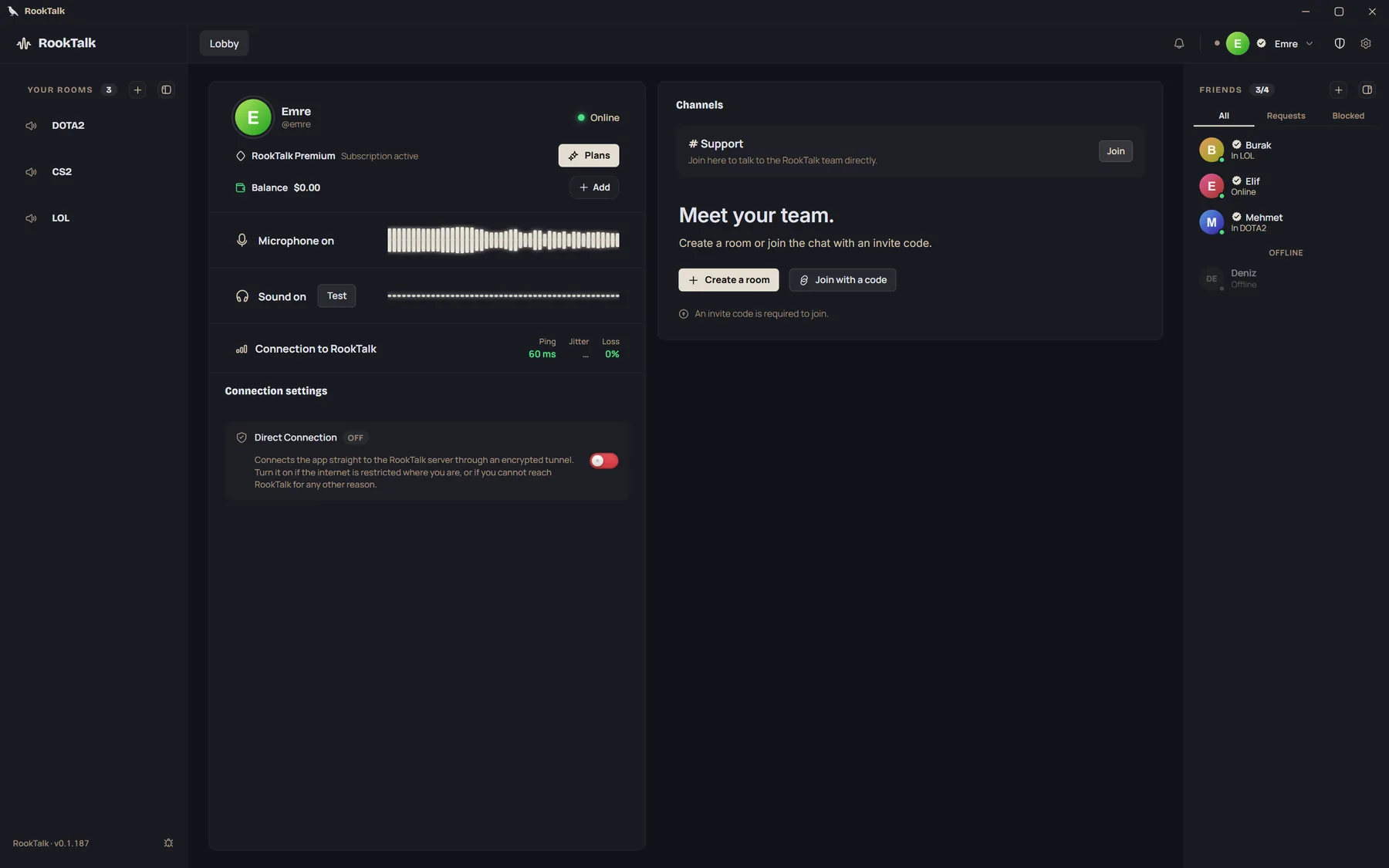
Direct Connection
When the usual connection cannot be made, the Windows app can try to carry its traffic to the server through an encrypted tunnel. It works with a free account. The short film shows how.
How to get started
- InstallDownload and run the installer. It is digitally signed, and the app updates automatically.
- Get startedContinue as a guest with a nickname, or create an account with your email.
- Open a roomGive the room a name and share the invite code that is made for it.
- InviteSend the link or the code. With RookTalk installed, the link opens the room directly.
Plans
You start for free. Prices are per month in US dollars; a year costs the price of 11 months.
- Free$0A temporary room for up to 6 people. Standard voice (48 kbps).
- Plus$23 lasting rooms, HD voice (96 kbps), file sending, camera and games with friends.
- Premium$510 lasting rooms, 128 kbps voice, screen sharing, voice changer and live streams.
- Private$15Everything in Premium, plus a key for every message, vanishing messages and an encrypted vault.
Download now
Runs on 64-bit Windows 10 and 11. The installer is digitally signed and the app updates itself. The Mac version runs on macOS 12 or later, on Apple silicon and Intel.
Backgammon picture: redrawn from the photos "Tavli Board without slots (traditional)" by Nikos Kitsakis, Wikimedia Commons, CC BY 4.0. Chess picture: Wilfredor, Wikimedia Commons, CC0.